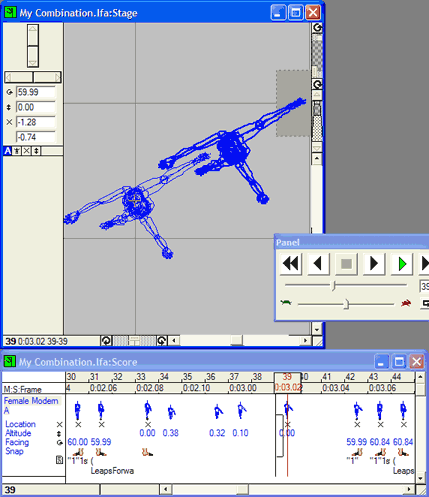
10. To lengthen the leap, click on the
first landing position in the Score (Frame 39 in the Score). Then
click on the Stage window and select View menu > Top. Compare the
take-off (Frame 33) and landing locations (Frame 39). The dancer appears
to leap without moving forward. Select frame 34 in the Score and drag
the dancer along in the Stage. Select frame 35 and repeat. Repeat
for each frame until the dancer lands at frame 39 (img. 9).
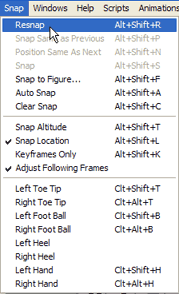
11. Then click on the dancer’s
name in the Score window (in this case, Female Modern A) and Resnap
the sequence (Snap menu > Resnap).
Repeat steps 10 and 11 for the next leap (drag the dancer to a
new location for each keyframe of the leap, resnap).